Aniwrapper
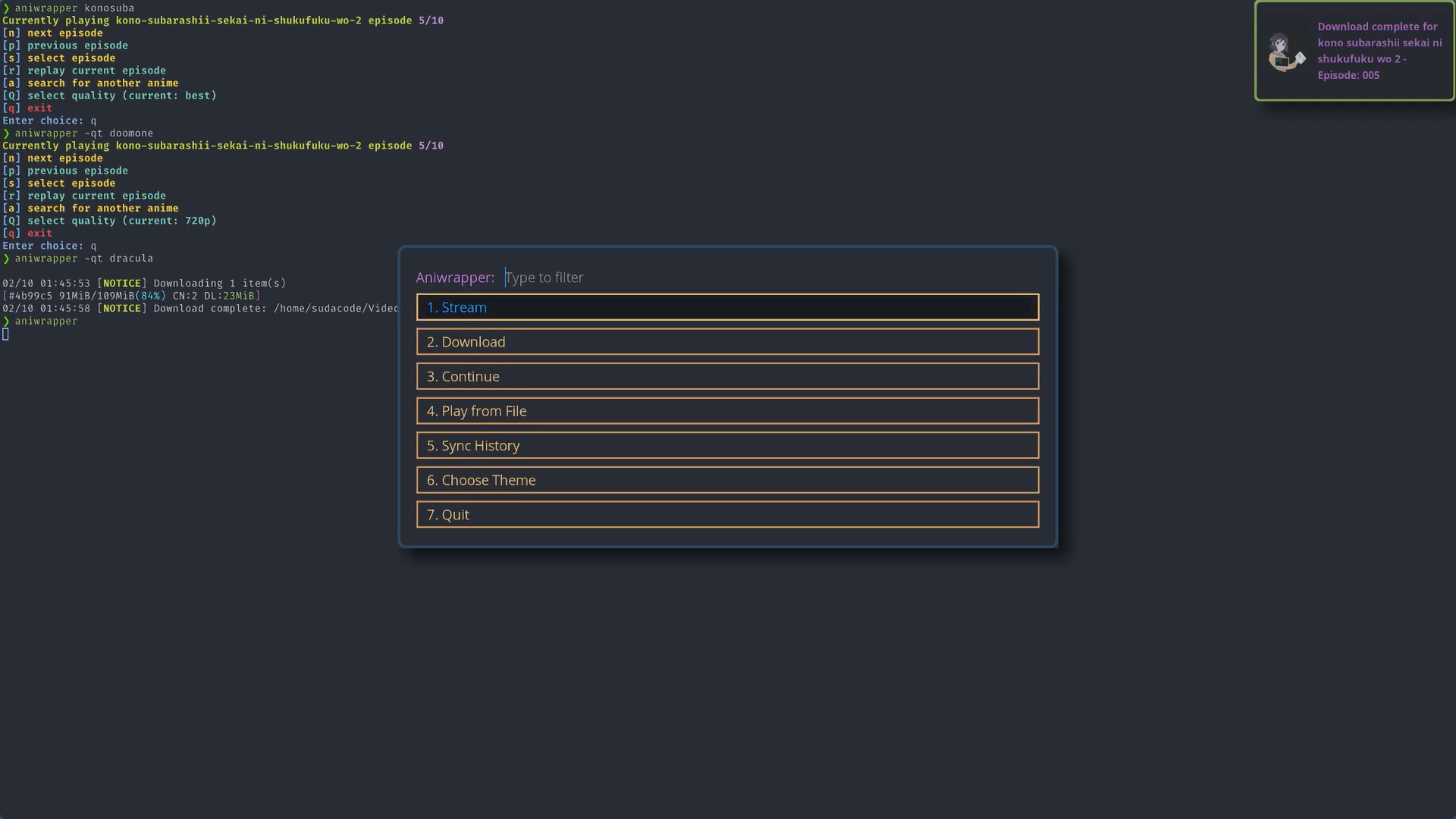
Table of Contents
Showcase⌗
What is Aniwrapper?⌗
Aniwrapper is A rofi wrapper around my fork of ani-cli: a command-line tool to stream, download, and play anime
Features⌗
- Stream or download anime from gogoanime
- Rofi filebrowser for searching and opening downloaded anime in mpv
- Built-in search and watch history, utilizing a local sqlite database
- 10 rofi themes to choose from
Install Aniwrapper⌗
Arch Linux
aniwrapper-git is available on the AUR for Arch users
paru -S aniwrapper-git
or
yay -S aniwrapper-git
Manual Install
git clone https://github.com/ksyasuda/aniwrapper
cd aniwrapper
chmod +x setup.sh && ./setup.sh
sudo make install
Using Aniwrapper⌗
By default, running the program will launch the aniwrapper main menu with rofi enabled, the default theme, and video quality set to ‘best’

From there, you are presented with the different options. I will talk about the four that I feel are most important: Stream, Download, Play From File, and Choose Theme
Streaming/Downloading⌗
Streaming and downloading both largely follow the same internal logic and utilize the same menus, with the only difference being the the download at the end
The quality selection menu will be automatically enabled when downloading. To enable quality selection for streaming, pass the
-qflag when running aniwrapper
Anime Selection Menu⌗
The first menu prompts you to enter the name of an anime to search for, or to select a previously watched anime from the list

If you are having trouble forming a search query that does not trigger a selection from the menu, append a space and a dash to the end of the query string: Ex.
isekaiisekai -
If you selected a previously watched anime from the list, you will move on to the episode selection for that anime
Otherwise, if you provide a search query that does not trigger a selection from the menu, you will be presented with a second menu with the search results
Searching for an anime
After providing a unique search query, you’ll be presented with the search results. Items highlighted in blue indicate it has been searched before
Select the desired anime from the list and you’ll be presented with the episode selection menu

Episode Selection Menu⌗
Not too much to say here
The blue highlighting indicates the episode has been watched or downloaded already

If downloading, you can provide a range of episode to download as two space separated integers: Ex.
1 10
Profit⌗
With that, if in streaming mode, the episode should open in mpv, and the terminal menu will appear
If downloading, the download progress will be displayed on screen and a notification will be displayed once complete

Play From File⌗
This option is intended to be used to easily find and open your downloaded anime in mpv
The searching function is implemented as a simple, interactive, and recursive file browser for your video files
After selecting the option from the main menu, you’ll be prompted to provide the path to the directory where the search function will begin

The search function ignores any file that is not a directory or does not have a .mp4, .mkv, .ts, etc file extension
Select the desired directory or video file to continue searching or open the file in mpv


Choose Theme⌗
You can change the theme from the main menu, by selecting the “Choose Theme” option and selecting the desired theme, or by running aniwrapper -t <theme_name>

If you have your own rofi theme that you like and want to try using with aniwrapper, run
aniwrapper -T <path_to_custom_theme>
Themes Showcase⌗


Disclaimer⌗
See disclaimer.md
Check it out on Github⌗